

Lost Artistry Lash
Digital Lash Maps, Brushes + Stamps
**Does not include: Procreate® app, Procreate® Pocket app, iPhone, iPad or Apple Pencil, HiPaint app, Phone, Tablet or Stylus**
Revolutionize Your Lash Consultations with Our Exclusive Digital Lash Brushes & Mapping Tools
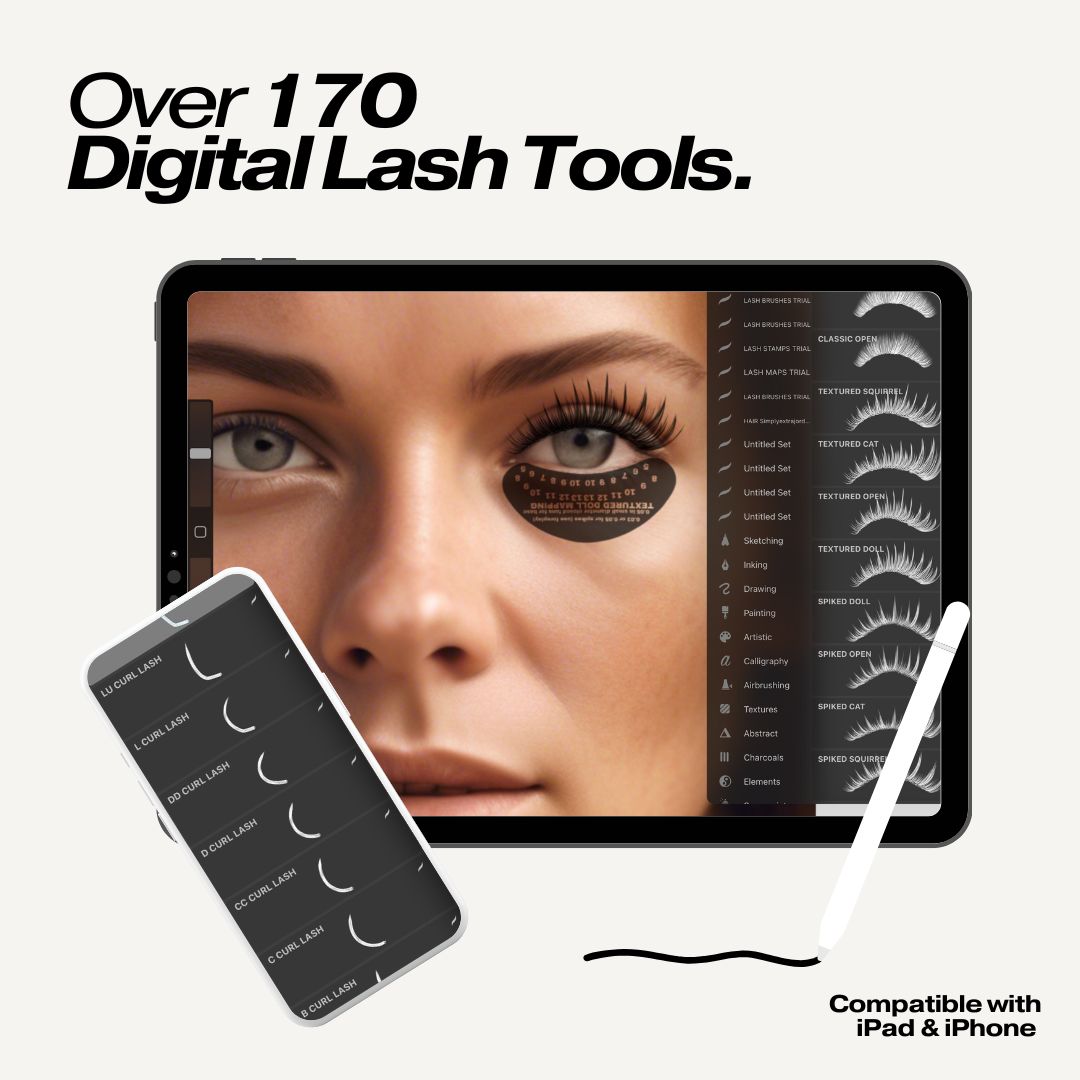
Take your lash artistry to new heights with Lost Artistry’s original, best-selling Digital Lash Tools Kit—a customizable collection of digital lash brushes, stamps, and maps designed for professional lash artists, educators, and content creators.
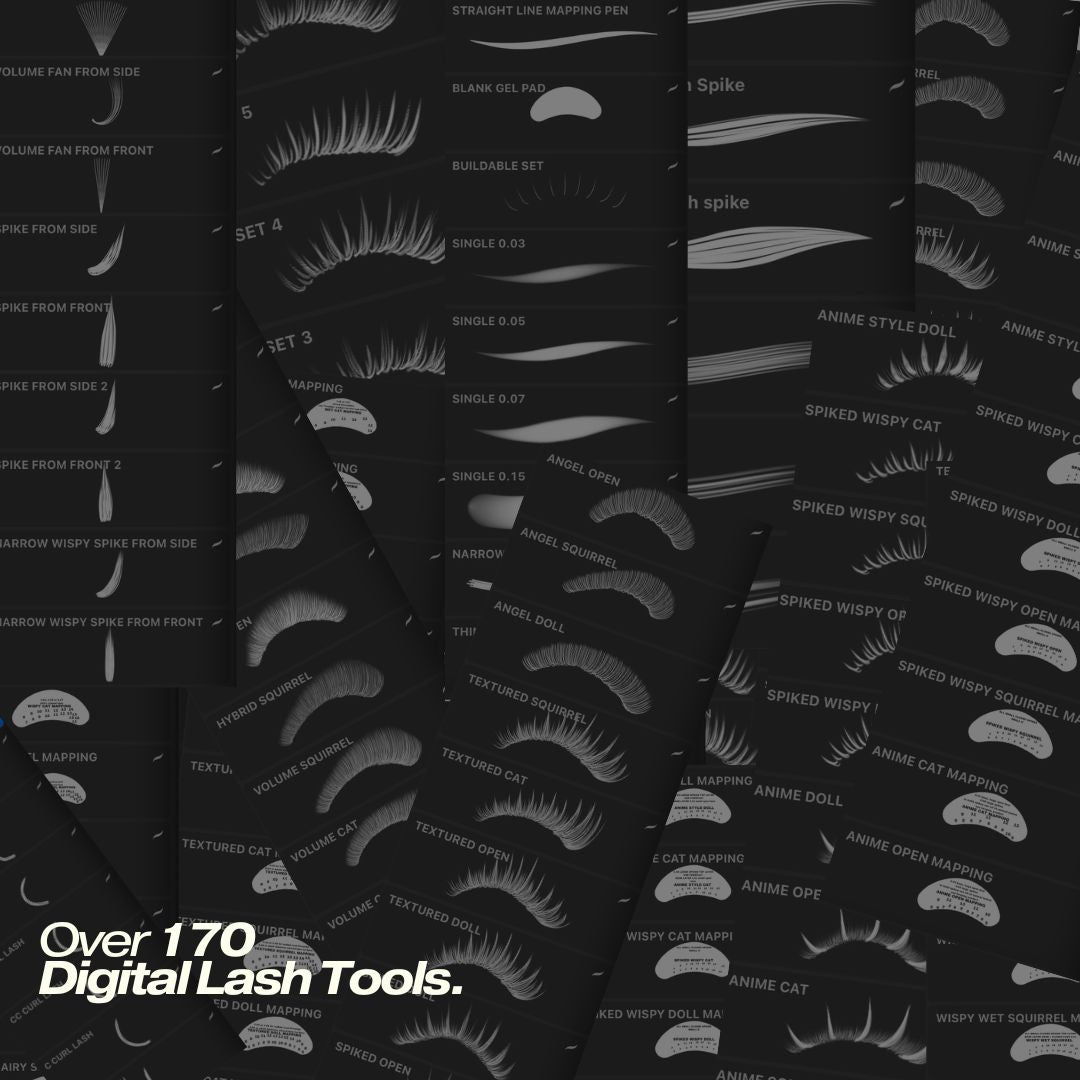
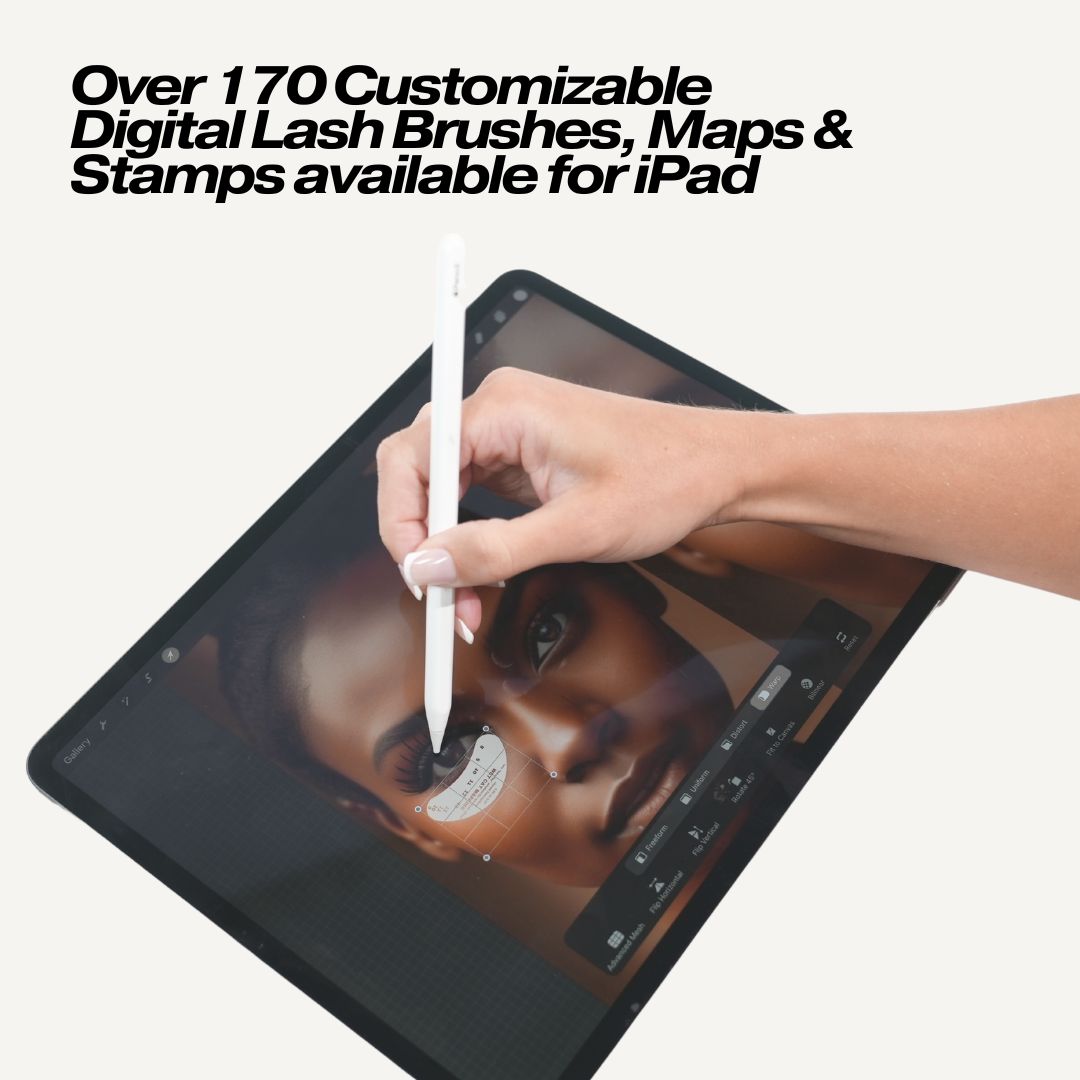
With over 150+ customized digital lash tools at your fingertips, you can instantly visualize how each lash set will look on any client—saving you time and eliminating confusion during consultations. Design stunning, personalized lash sets on a photo of your client before they even arrive, and walk into every appointment with a clear, confident plan.
With the use of our digital lash tools, you’ll ensure every client leaves your lash bed with a set that’s tailor-made for them, while streamlining your mapping, styling, and consultation process.
Now Part of a Complete Digital Lash Ecosystem
This original Digital Lash Tools Kit is your core toolkit—but we now offer two additional, specialized add-ons to level up your digital mapping game:
1. Mapping Booklet 2.0 Kit — Digital Lash Set Try-Ons based on our best selling Digital Mapping Booklet
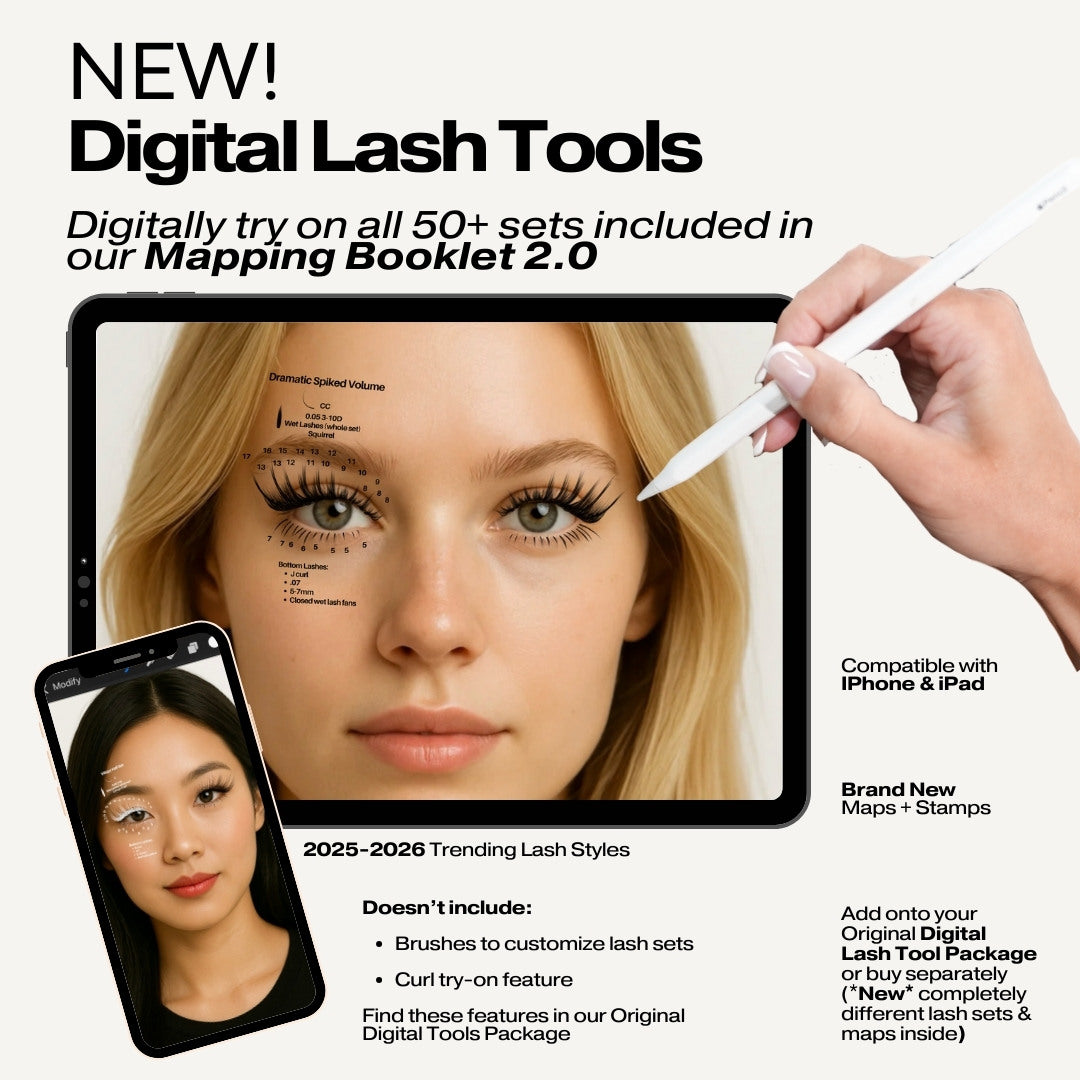
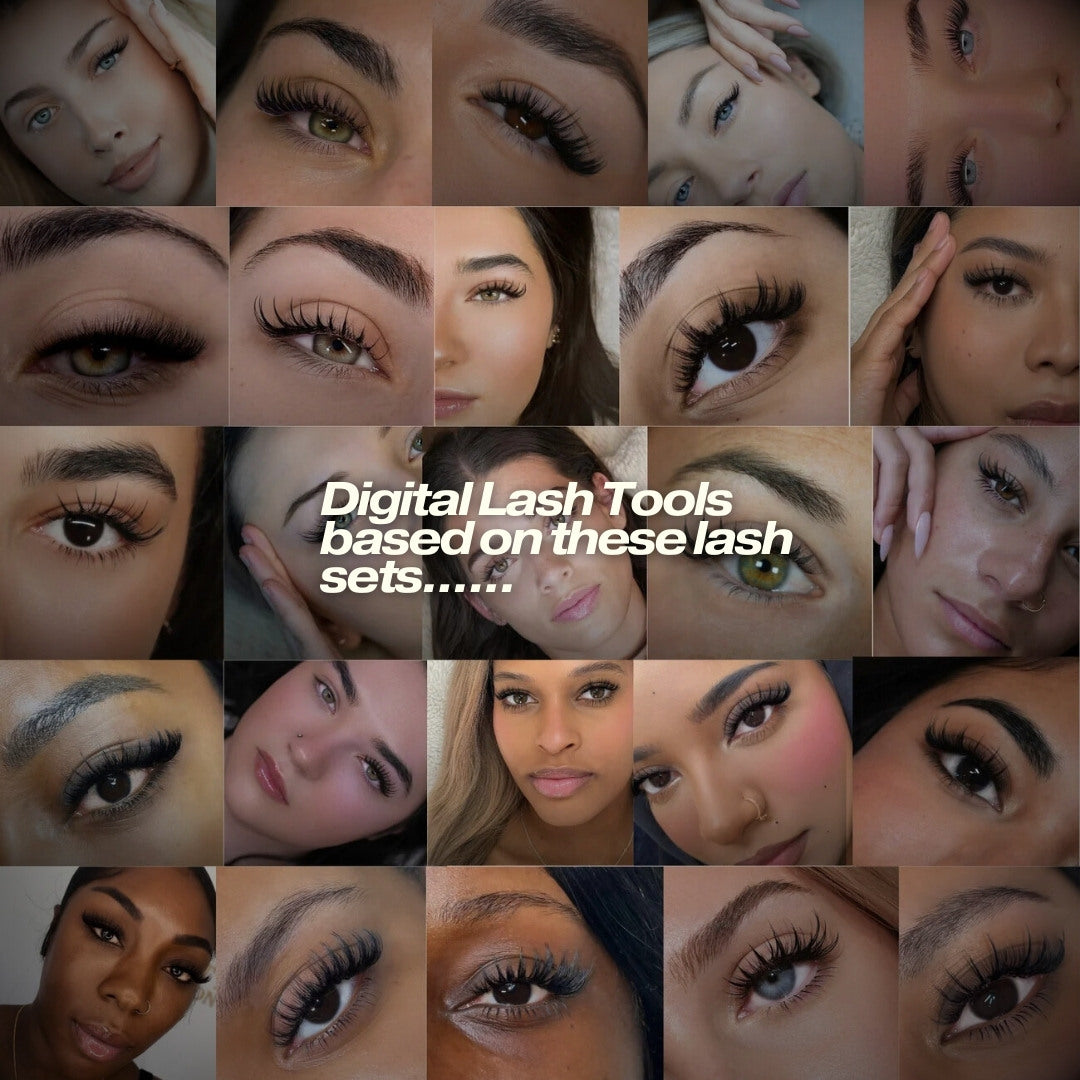
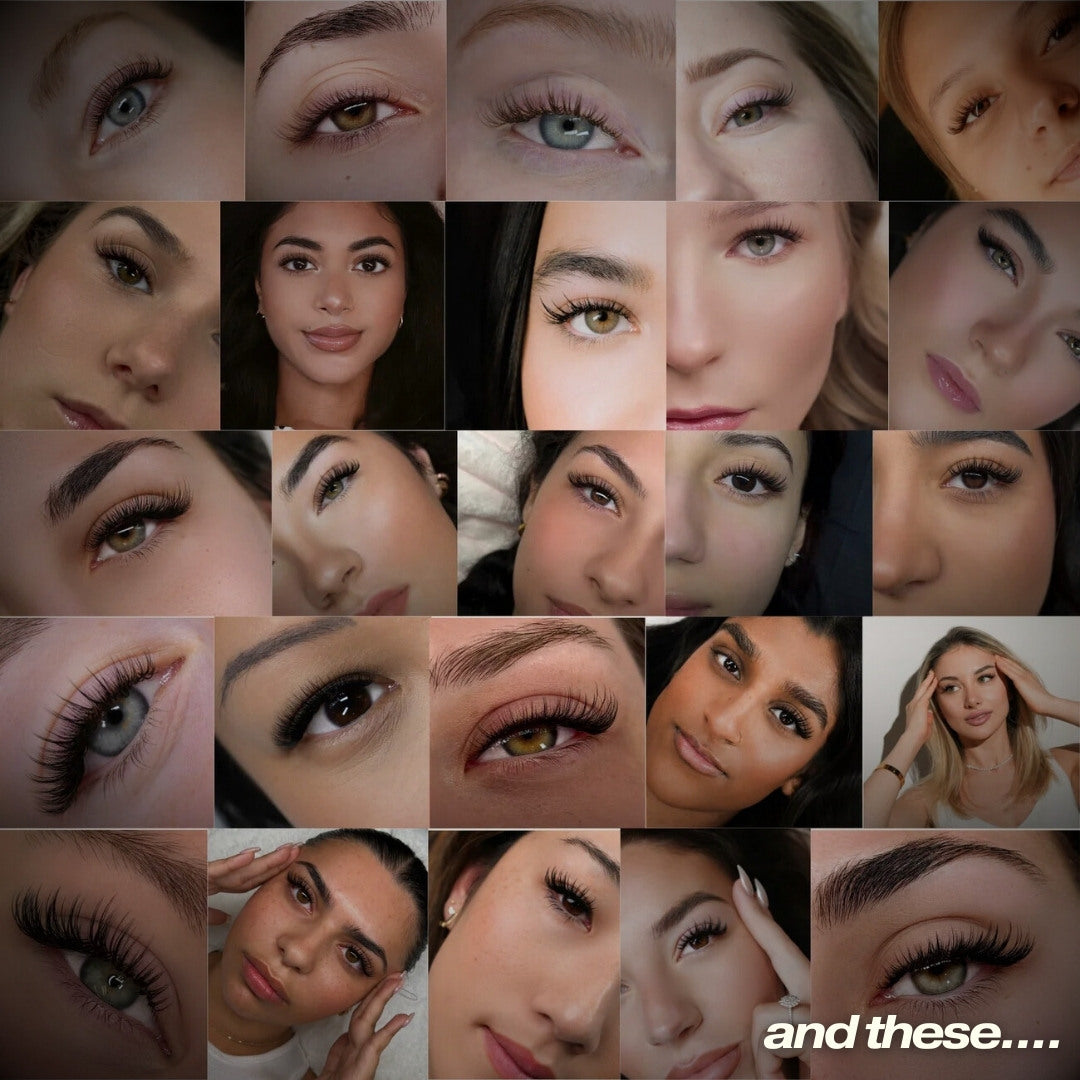
Upgrade your consultations with Digital Lash Tools 2.0, featuring the exact maps and trending lash styles from our Digital Mapping Booklet 2.0—transformed into fully editable stamps and maps you can try directly on a photo of your client.
Perfect for artists who want to visually test trending styles on their clients before committing to a set. No more guesswork, no more “I hope this looks good on them.”
Compatibility: Apple/
2. Bottom Lash Digital Maps + Stamps (Add-On)
Take your lash designs further with our Bottom Lash Digital Maps + Stamps, designed as the perfect companion to your top lash digital tools. These bottom-lash tools let you design complete, balanced sets digitally—top and bottom—before you start lashing.
They can be used alone, but pairing them with the original kit delivers the most elevated consultation experience.
Compatibility: Apple/
These two add-ons are sold separately so you can build the bundle that suits you best.
Why You'll Love Our Digital Lash Tools:
-
Endless Creative Possibilities: Create any lash look you can imagine—from natural to bold, classic to volume, wispy to anime, soft to textured. Our customizable brushes, stamps, and maps make designing lash sets effortless. Quickly see what any set will look like on your client, then follow the corresponding lash map for guidance while you lash.
-
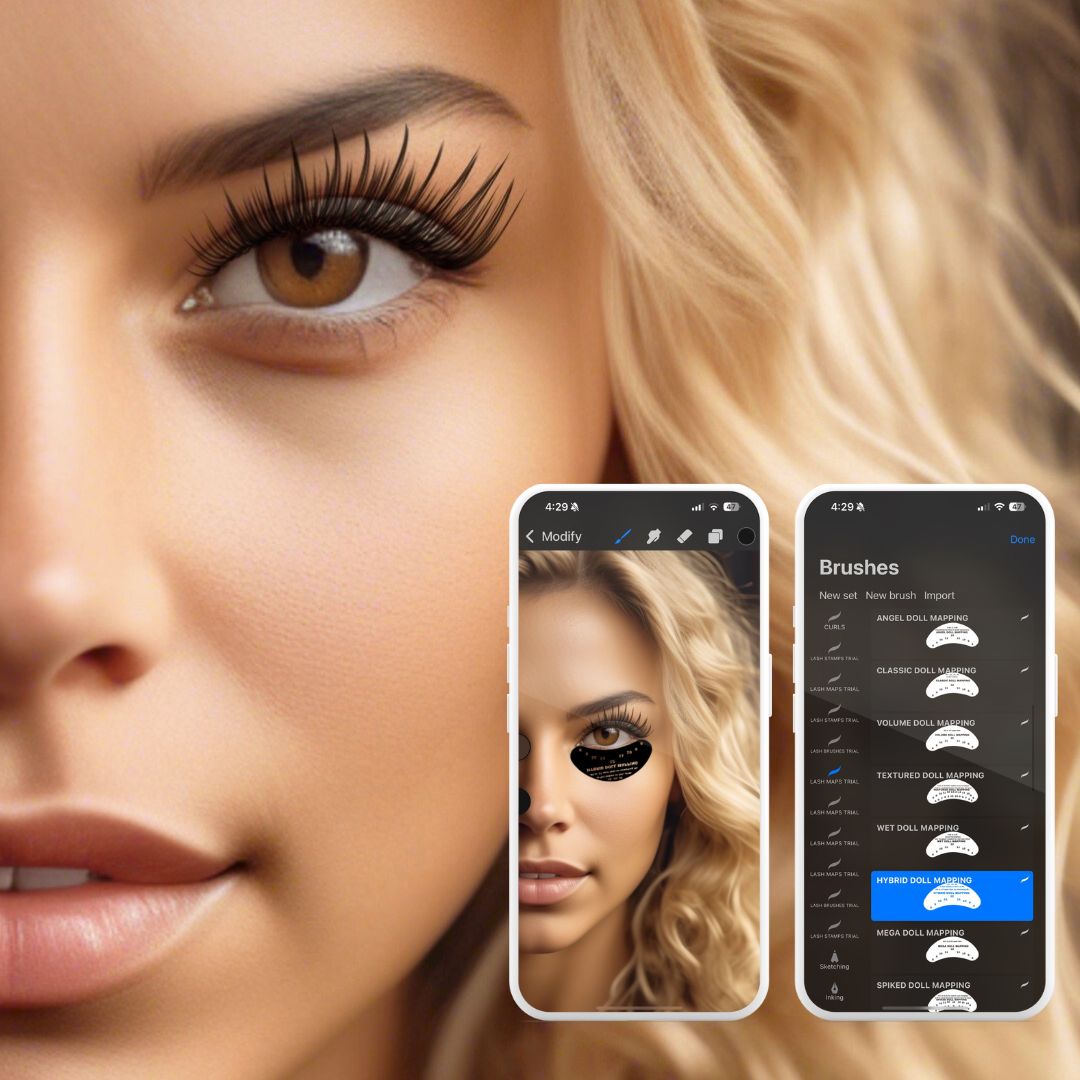
Next-Level Consultations: Imagine being able to conduct a full lash consultation with nothing more than a photo of your client. Our tools allow you to digitally design a tailored lash set based on your client’s eye shape and style preferences, ensuring the perfect fit every time.
-
Perfect for Educators & Content Creators: Build educational content, training materials, ebooks, lash manuals, presentations, and viral-worthy social media content with ease. These tools help you communicate visually, clearly, and professionally.
-
Instant Visualization: Within seconds, you can show clients what different lash styles will look like on them. This drastically reduces consultation time, prevents miscommunication, and boosts client satisfaction.
-
Detailed Tutorials Included: With the original kit, you receive step-by-step video tutorials on how to import, organize, and use your brushes, stamps, and maps inside Procreate® or compatible Android apps. We teach you exactly how to design, refine, and present lash sets digitally—making complex designs simple and accessible.
Please Note: All Lost Artistry Lash Digital Tools are not for available for resale.
Procreate®-Ready: Designed specifically for use with the Procreate® app on iPad or Procreate® Pocket on iPhone (Procreate® or Procreate® Pocket required), these tools are user-friendly and intuitive—perfect for both beginners and experienced artists.
Does not include: Procreate® app, iPhone, iPad or Apple Pencil
What you need:
- Procreate® App for iPad (available for purchase on iOS)
- Procreate® Pocket for iPhone (available for purchase on iOS)
- iPad and/or iPhone (preferably from 2020 or newer)
- Apple Pencil (recommended)
Transform the way you work with clients, create stunning lash designs in minutes, and elevate your lash business with the world’s most advanced digital tools. Start designing today and take your lash artistry to the next level!
What’s Included with iPad + iPhone Edition 1 bundle:
Access to download all digital tools on iPad and iPhone (two device download access)
150+ customizable digital lash tools (brushes, stamps, and maps for top lash designs)
- A full course on:
-
-
How to install and use the digital tools
-
How to design lash sets digitally
-
How to use stamps, layers, and maps in your consultation process
-
-
- Guidance on digital lash consultations and how to translate your digital design to the lash bed
- Access to customer support if you need help getting set up
- Access to customer service representatives if additional assistance is needed
Note:
Bottom Lash Digital Maps + Stamps and Edition 2 Digital Lash Set Try-Ons are sold separately.
All digital tool products can be purchased individually and used independently—they do not require the original kit to function.
How to Download:
Once purchased, you will receive an email with the steps to download as well as all the tutorials you will need to get started.
If you haven't received an email within an hour of purchase, make sure to check your spam/junk folder :)
Procreate®-Ready: Designed specifically for use with the Procreate® Pocket on iPhone (Procreate® Pocket required), these tools are user-friendly and intuitive—perfect for both beginners and experienced artists.
**Does not include: Procreate® app or iPhone**
What You Need:
-
Procreate® Pocket for iPhone (available for purchase on iOS)
-
iPhone (preferably from 2020 or newer)
Transform the way you work with clients, create stunning lash designs in minutes, and elevate your lash business with the world’s most advanced digital tools. Start designing today and take your lash artistry to the next level!
What’s Included with iPhone and iPad Edition 2 bundle:
Access to download all digital tools on iPad and iPhone (two device download access)
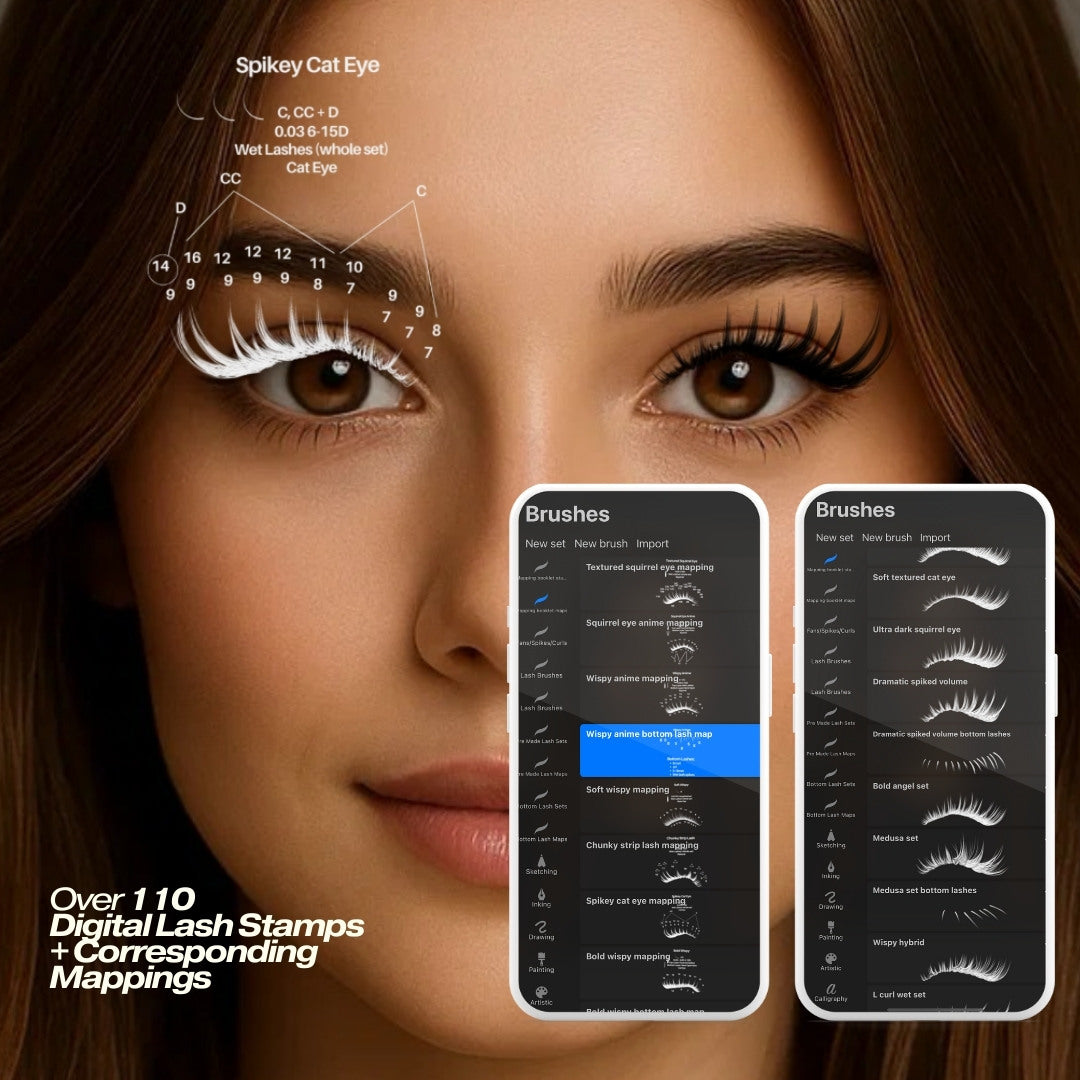
Over 110+ completely new, never-before-released digital stamps + maps, including:
-
50 Trending Lash Set Stamps (pulled directly from Mapping Booklet 2.0)
-
50 Corresponding Lash Maps
-
11 Bottom Lash Stamps
-
11 Bottom Lash Maps
-
Full training on how to use the tools, stamps, layers, workflow, and more — delivered via email upon purchase
These tools include entirely different maps and styles than:
-
Our Original Digital Lash Tool Kit
-
Our Bottom Lash Digital Kit
Designed specifically to pair with Mapping Booklet 2.0 for the most enhanced consultation experience yet.
Important note: This complements our Mapping Booklet 2.0 but you do not need to purchase the Mapping Booklet in order to use these tools. They are absolutely perfect on their own, if desired.
WHY LASH ARTISTS LOVE THIS KIT
Try-on results → before the appointment
See exactly how each trending lash set will look on your client using nothing but a photo. Adjust length, density, mapping style, and more. No surprises for you or your client—just certainty. We guide you every step of the way.
No more guesswork in consultations
Clients often think they know what they want… until they see it on themselves and realize it’s not the right fit. These tools erase that problem instantly.
And the bonus?
You can complete the entire consultation digitally at home via text—saving so many minutes of in-room indecision during consultation and giving you time to watch the step-by-step tutorials inside Mapping Booklet 2.0 before the appointment. This also gives you time to order any specialty curls or products if needed, rather than stressing to adjust their set on the day of because you don’t have the proper supplies for the look they have requested (we’ve all been there).
Pair it with Mapping Booklet 2.0 for your most curated lash sets ever
These tools bring the booklet to life in seconds.
The booklet teaches the mapping.
The digital tools let you test it effortlessly on your client.
Together, you get the fastest, clearest, most accurate, and most stress-free consultation + application system possible.
Perfect for educators, salons & content creators
Create polished lash visuals, elevated training materials, ebooks, marketing content, digital demonstrations, and before/after previews with ease.
Consistent results, every time
Use the stamp → try on any lash set → choose the corresponding map → follow the step-by-step tutorial → create your cleanest, most curated sets ever → grow your client list and business.
Easy. Predictable. Repeatable.
IMPORTANT NOTES
-
Apple users only: Compatible with Procreate® or Procreate® Pocket on iPad or iPhone.
-
No brushes or curls included in this add-on (maps & stamps only). If you need brushes/curls or different styles, check out our other digital tool kits — they’re all different.
-
Digital product: Files are delivered electronically immediately after purchase.
-
Not included: Procreate® apps, iPhone, iPad, Apple Pencil, phone, tablet, or stylus.
-
All digital products are final sale and not available for resale.
How to Download:
Once purchased, you will receive an email with the steps to download as well as all the tutorials you will need to get started.
If you haven't received an email within an hour of purchase, make sure to check your spam/junk folder :)
Procreate®-Ready: Designed specifically for use with the Procreate® Pocket on iPhone (Procreate® Pocket required), these tools are user-friendly and intuitive—perfect for both beginners and experienced artists.
**Does not include: Procreate® app or iPhone**
What You Need:
-
Procreate® Pocket for iPhone (available for purchase on iOS)
-
iPhone (preferably from 2020 or newer)
Transform the way you work with clients, create stunning lash designs in minutes, and elevate your lash business with the world’s most advanced digital tools. Start designing today and take your lash artistry to the next level!
What’s Included with iPhone bundle:
Access to download digital tools on iPhone (1 time download access)
Note: You cannot edit or design your own tailored lash sets with the iPhone version. You can play with the included designs but cannot do full customizations due to the limitations of the small screen size.
-
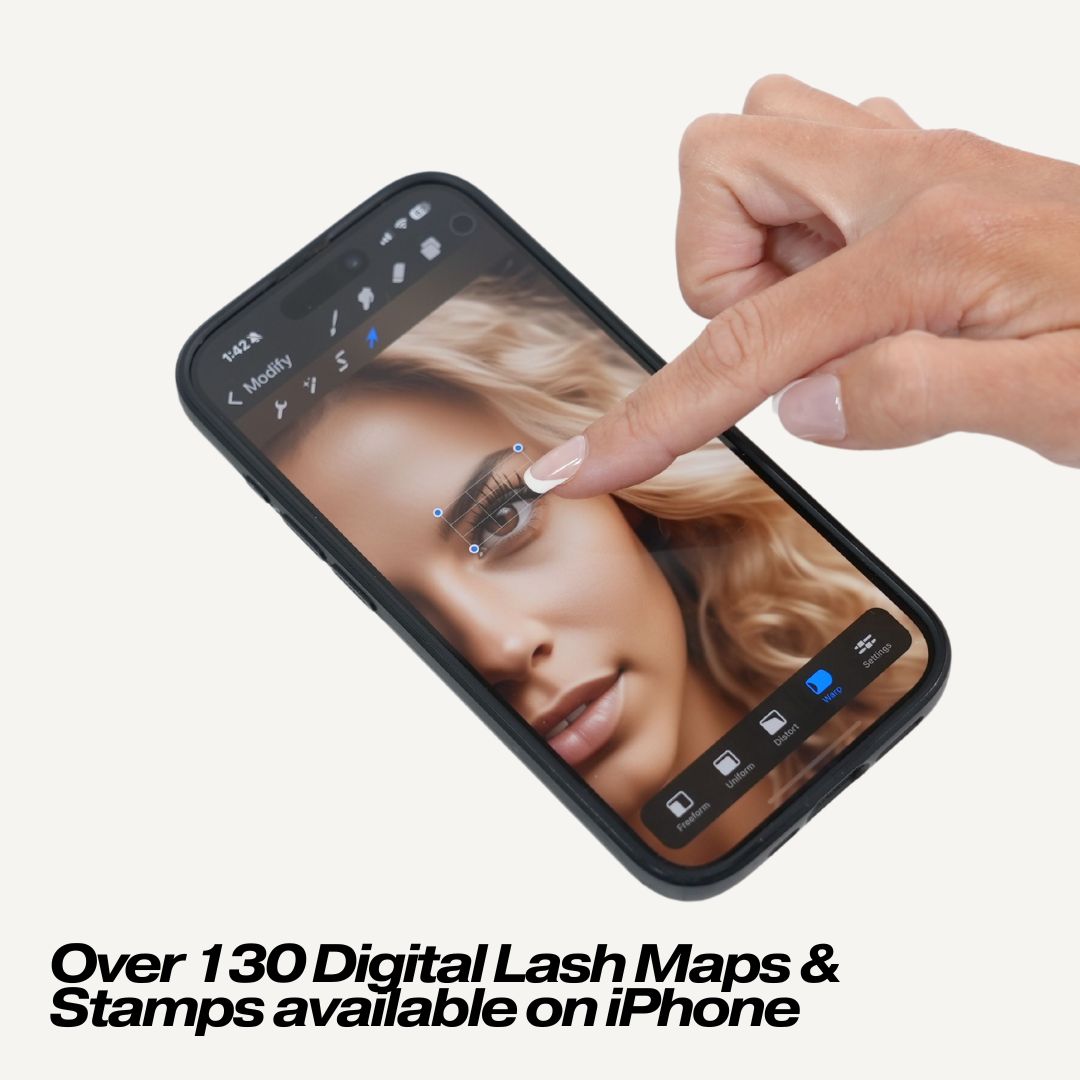
Over 130 Digital Lash Maps & Stamps (does not include customizable brushes and pens)
-
Lash Set Inspiration & Correlating Lash Maps
-
Detailed Video Tutorials on how to use each feature
-
Easy-to-Follow Guides on Lash Consultation & Design
How to Download:
Once purchased, you will receive an email with the steps to download as well as all the tutorials you will need to get started.
If you haven't received an email within an hour of purchase, make sure to check your spam/junk folder :)
HiPaint-Ready: Designed specifically for use with the HiPaint application on Tablet or Phone. (HiPaint required), these tools are user-friendly and intuitive—perfect for both beginners and experienced artists.
Does not include: HiPaint application, Phone, Tablet or Stylus
What You Need:
- HiPaint Application, Available for Phone or Tablet through the Play Store.
- Tablet or Phone compatible with HiPaint Application
- Stylus (recommended but not required)
Transform the way you work with clients, create stunning lash designs in minutes, and elevate your lash business with the world’s most advanced digital tools. Start designing today and take your lash artistry to the next level!
What’s Included:
- Access to all digital tools on Phone and Tablet (two device download access)
- Over 150 Customizable Digital Lash Brushes, Maps & Stamps, including:
- 60 full set stamps (Lash Set Inspiration with correlating lash maps)
- 15 half set stamps (Lash Set Inspiration)
- 10 spike/fan brushes
- 2 brushes for customization
- 75 maps
- Curl stamps
- Detailed Video Tutorials on how to use each feature
- Easy-to-Follow Guides on Lash Consultation & Design
-
Access to customer service representatives if additional assistance is needed
How To Download:
Once purchased, you will receive an email with the steps to download as well as all the tutorials you will need to get started.
If you haven't received an email within an hour of purchase, make sure to check your spam/junk folder :)
Bottom Lash Digital Maps + Stamps:
Note: These Bottom Lash Digital Maps + Stamps are designed as an add-on to your iPhone and/or iPad top lash stamps and maps. While they can be used on their own, we highly recommend pairing them with the full digital tools bundle for the best experience during your consults. Please note they are not compatible with Android at this time.
Procreate®-Ready: Designed specifically for use with the Procreate® app on iPad or Procreate® Pocket on iPhone (Procreate® or Procreate® Pocket required), these bottom lash tools are user-friendly and intuitive—perfect for both beginners and experienced lash artists.
Does not include: Procreate® app, iPhone, iPad or Apple Pencil
WHAT YOU NEED:
Procreate® App for iPad (available for purchase on iOS)
Procreate® Pocket for iPhone (available for purchase on iOS)
iPad and/or iPhone (preferably from 2020 or newer)
Apple Pencil (recommended)
Transform the way you approach bottom lash design, save time mapping, and elevate your lash artistry with the world’s most advanced digital tools made for Procreate®.
WHAT’S INCLUDED WITH THE IPAD + IPHONE BUNDLE:
Access to download all digital tools on iPad and iPhone (two device download access)
28 Customizable Bottom Lash Stamps + 28 Correlating Maps
Bottom Lash Set Inspiration & Matching Lash Maps
Detailed Video Tutorials on how to use each feature
Easy-to-Follow Guides on Lash Consultation & Bottom Lash Design
Access to customer service representatives if additional assistance is needed
HOW TO DOWNLOAD:
Once purchased, you will receive an email with download steps and all the tutorials you’ll need to get started.
If you haven't received an email within an hour of purchase, be sure to check your spam/junk folder